 VibePackr
Provision a server
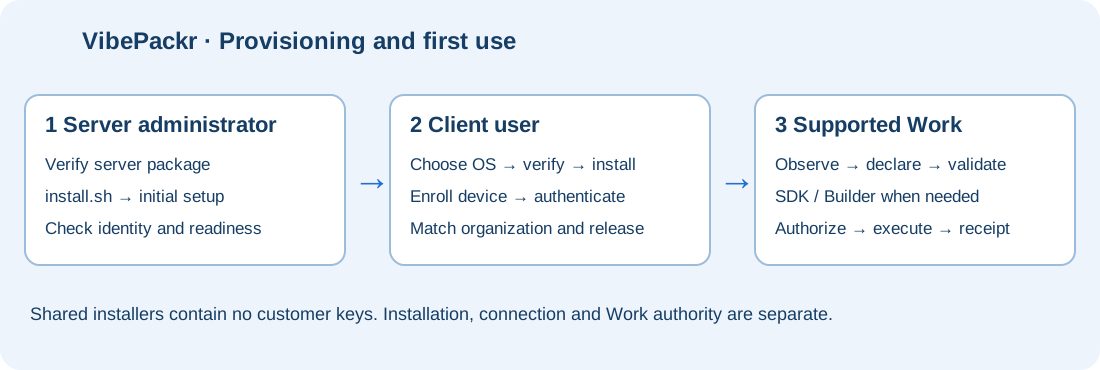
Check the server release, verify the payload, run install.sh and complete administrator setup.
Server administratorVIBEPACKR · SETUP & PROVISIONING
Choose the path for your role. Server administrators provision the appliance; users install clients and connect to their organization.
Check the server release, verify the payload, run install.sh and complete administrator setup.
Server administratorChoose the current PackrGUI or Builder for your OS. Register and connect using organization-provided settings.
Client userUse GAPE, Integration Helper, Contract & Document and the SDK in the supported workflow.
Tool workflowReview platform availability, checksums, Parts 1–8 and the English/Korean whitepapers.
Download inventory